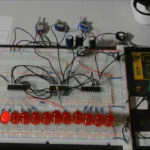
Как создать цепочку ПК-Python-UART-Atmega (Pic) читайте здесь:
“gameforstreet.ru/upravlyaem-mikroshemoj-atmega-pic-cherez-pk-na-python/”
Код змейка на кнопке “Команда 1”: последовательно по периметру квадрата мигает по одному светодиоду, а на кнопке “Команда 2”: последовательно по периметру квадрата мигает по три светодиода:
Матрица светодиодов:
На включение светодиодов:
5 7 9 b
1 3 d f
t v h j
r p n l
На выключение светодиодов:
6 8 a c
2 4 e g
u w i k
s q o m
Код:
import tk
import tkinter as tk
import serial
import time
# Добавляем изображение
from tkinter import *


# Configure the COM port
port = "/dev/ttyUSB0"  # Replace with the appropriate COM port name
baudrate = 9600

#----------------------------------------------------------------

def komanda1():
    print("1")
    try:
        ser = serial.Serial('/dev/ttyUSB0', 9600, timeout=1)
        print("Serial connection established.")
        command = "1"
        ser.write(command.encode())
        time.sleep(1)
        command = "2"
        ser.write(command.encode())

        command = "5"
        ser.write(command.encode())
        time.sleep(1)
        command = "6"
        ser.write(command.encode())

        command = "7"
        ser.write(command.encode())
        time.sleep(1)
        command = "8"
        ser.write(command.encode())

        command = "9"
        ser.write(command.encode())
        time.sleep(1)
        command = "a"
        ser.write(command.encode())

        command = "b"
        ser.write(command.encode())
        time.sleep(1)
        command = "c"
        ser.write(command.encode())

        command = "f"
        ser.write(command.encode())
        time.sleep(1)
        command = "g"
        ser.write(command.encode())

        command = "j"
        ser.write(command.encode())
        time.sleep(1)
        command = "k"
        ser.write(command.encode())

        command = "l"
        ser.write(command.encode())
        time.sleep(1)
        command = "m"
        ser.write(command.encode())

        command = "n"
        ser.write(command.encode())
        time.sleep(1)
        command = "o"
        ser.write(command.encode())

        command = "p"
        ser.write(command.encode())
        time.sleep(1)
        command = "q"
        ser.write(command.encode())

        command = "r"
        ser.write(command.encode())
        time.sleep(1)
        command = "s"
        ser.write(command.encode())

        command = "t"
        ser.write(command.encode())
        time.sleep(1)
        command = "u"
        ser.write(command.encode())

        line = ser.readline().decode('utf-8').rstrip()
        print(line)
        ser.close()
        print("Serial connection closed.")

    except serial.SerialException as se:
        print("Serial port error:", str(se))

    except KeyboardInterrupt:
        pass

    finally:
        # Close the serial connection
        if ser.is_open:
            ser.close()
            print("Serial connection closed.")

#----------------------------------------------------------------

def komanda2():
    print("1")
    try:
        # Open the COM port
        ser = serial.Serial('/dev/ttyUSB0', 9600, timeout=1)
        print("Serial connection established.")
        #command = input("Enter a command (e.g., 'ON', 'OFF'): ")

        command = "1"
        ser.write(command.encode())
        command = "5"
        ser.write(command.encode())
        command = "7"
        ser.write(command.encode())
        time.sleep(0.5)

        command = "9"
        ser.write(command.encode())
        command = "2"
        ser.write(command.encode())
        time.sleep(0.5)

        command = "b"
        ser.write(command.encode())
        command = "6"
        ser.write(command.encode())
        time.sleep(0.5)

        command = "f"
        ser.write(command.encode())
        command = "8"
        ser.write(command.encode())
        time.sleep(0.5)

        command = "j"
        ser.write(command.encode())
        command = "a"
        ser.write(command.encode())
        time.sleep(0.5)

        command = "l"
        ser.write(command.encode())
        command = "c"
        ser.write(command.encode())
        time.sleep(0.5)

        command = "n"
        ser.write(command.encode())
        command = "g"
        ser.write(command.encode())
        time.sleep(0.5)

        command = "p"
        ser.write(command.encode())
        command = "k"
        ser.write(command.encode())
        time.sleep(0.5)

        command = "r"
        ser.write(command.encode())
        command = "m"
        ser.write(command.encode())
        time.sleep(0.5)

        command = "t"
        ser.write(command.encode())
        command = "o"
        ser.write(command.encode())
        time.sleep(0.5)

        command = "q"
        ser.write(command.encode())
        time.sleep(0.5)
        command = "s"
        ser.write(command.encode())
        time.sleep(0.5)
        command = "u"
        ser.write(command.encode())

        line = ser.readline().decode('utf-8').rstrip()
        print(line)
        ser.close()
        #print("Serial connection closed.")
        print("Serial connection closed.")

    except serial.SerialException as se:
        print("Serial port error:", str(se))

    except KeyboardInterrupt:
        pass

    finally:
        # Close the serial connection
        if ser.is_open:
            ser.close()
            print("Serial connection closed.")

#----------------------------------------------------------------

def komanda3():
    print("1")
    try:
        # Open the COM port
        ser = serial.Serial('/dev/ttyUSB0', 9600, timeout=1)
        print("Serial connection established.")
        #command = input("Enter a command (e.g., 'ON', 'OFF'): ")
        command = "1"
        ser.write(command.encode())
        command = "3"
        ser.write(command.encode())
        time.sleep(2)
        command = "2"
        ser.write(command.encode())
        command = "4"
        ser.write(command.encode())
        time.sleep(2)
        line = ser.readline().decode('utf-8').rstrip()
        print(line)
        ser.close()
        #print("Serial connection closed.")
        print("Serial connection closed.")

    except serial.SerialException as se:
        print("Serial port error:", str(se))

    except KeyboardInterrupt:
        pass

    finally:
        # Close the serial connection
        if ser.is_open:
            ser.close()
            print("Serial connection closed.")

#----------------------------------------------------------------

def komanda4():
    print("1")
    try:
        # Open the COM port
        ser = serial.Serial('/dev/ttyUSB0', 9600, timeout=1)
        print("Serial connection established.")
        #command = input("Enter a command (e.g., 'ON', 'OFF'): ")
        command = "1"
        ser.write(command.encode())
        time.sleep(2) #задержка в течение 5 секунд
        command = "3"
        ser.write(command.encode())
        time.sleep(2)
        command = "2"
        ser.write(command.encode())
        time.sleep(2) #задержка в течение 5 секунд
        command = "4"
        ser.write(command.encode())
        time.sleep(2)
        line = ser.readline().decode('utf-8').rstrip()
        print(line)
        ser.close()
        #print("Serial connection closed.")
        print("Serial connection closed.")

    except serial.SerialException as se:
        print("Serial port error:", str(se))

    except KeyboardInterrupt:
        pass

    finally:
        # Close the serial connection
        if ser.is_open:
            ser.close()
            print("Serial connection closed.")

#----------------------------------------------------------------

#----------------------------------------------------------------

def komanda5():
    print("1")
    try:
        # Open the COM port
        ser = serial.Serial('/dev/ttyUSB0', 9600, timeout=1)
        print("Serial connection established.")
        print("Entered Text:", entry1.get())
        command = entry1.get()
        ser.write(command.encode())
        time.sleep(2) #задержка в течение 5 секунд
        command = entry2.get()
        ser.write(command.encode())
        time.sleep(2) #задержка в течение 5 секунд
        line = ser.readline().decode('utf-8').rstrip()
        print(line)
        ser.close()
        print("Serial connection closed.")

    except serial.SerialException as se:
        print("Serial port error:", str(se))

    except KeyboardInterrupt:
        pass

    finally:
        # Close the serial connection
        if ser.is_open:
            ser.close()
            print("Serial connection closed.")

#----------------------------------------------------------------


# Кнопки

def greet(name):
    print(f"Привет, {name}!")


root = tk.Tk()

root.title("Пример окна с кнопками")


root.geometry("300x500")


button1 = tk.Button(root, text="Команда 1", bg="blue", fg="white", font=("Arial", 14), command=komanda1)
button1.grid(row=0,column=0)

button2 = tk.Button(root, text="Команда 21", bg="red", fg="black", font=("Helvetica", 12), command=komanda2)
button2.grid(row=1,column=0)

button3 = tk.Button(root, text="Запуск команды 3", command=komanda3)
button3.grid(row=2,column=0)

button4 = tk.Button(root, text='Запуск команды 4', command=komanda4)
button4.grid(row=3,column=0)


# Create an Entry widget
entry1 = tk.Entry(root, width=2)
entry1.grid(row=4,column=0)

# Create an Entry widget
entry2 = tk.Entry(root, width=2)
entry2.grid(row=4,column=1)

# Create a button to retrieve text
button5 = tk.Button(root, text="Get Text", command=komanda5)
button5.grid(row=5,column=0)

# Добавляем изображение
img1 = PhotoImage(file='p1.png')
Label(image=img1, bg='lightyellow',text='Изображение',compound=TOP).grid(row=6,column=0)


root.mainloop()